
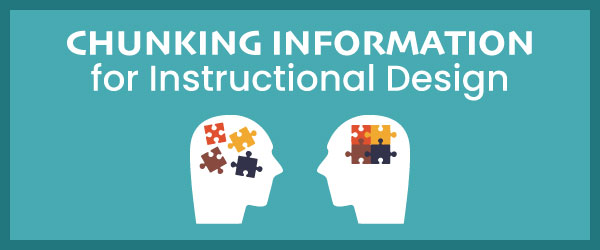
The limited capacity of working memory is a key concept in cognitive psychology and instructional design. Working memory is a temporary memory store that regulates incoming information in order to fulfill a person’s goals. It is where we actively manipulate information.
Working memory capacity is small and information in working memory is of a short duration. To accommodate these limitations, instructional designers use chunking in two ways. We decompose content into smaller chunks to avoid overloading a learner’s working memory. Alternately, we may cluster related information into larger chunks as a way to improve the capacity of working memory. Chunking can happen in either direction. See the explanations below.
Decomposing Content
In the instructional design process, the decomposition of content is typically part of a content, task or instructional analysis. We conduct this process by identifying the key skills a person must perform and then define the supporting knowledge necessary to perform the critical skills. Some people use an information processing analysis (via Dick & Carey) or action mapping (via Cathy Moore) or similar approaches. If the skill can be broken into subtasks, then a task analysis is appropriate. The important question when decomposing material is to ask, “What does the learner need to do next in order to perform this skill?”
Chunking Information for eLearning
Decomposing information is particularly important when designing self-paced instruction, like eLearning. The content has to be organized in a logical and progressive way through chunking. Chunking doesn’t only work for your typical linear instruction. It also works for non-linear approaches, such as when the learner chooses the order in which to explore various topics.
An important aspect of chunking is that the chunk is conceptually related information. Content that is conceptually related is more meaningful than randomly organized information.
How to Chunk Content for eLearning
Now that we can proudly say our working memories are basically sieves, what strategies can eLearning designers implement to overcome this? After your analysis, follow these steps.
- Step 1: Start at the highest level.
Use a chunking strategy while determining the content hierarchy of a course. Determine how modules, lessons and topics will be organized into a logical and progressive sequence. Start with large chunks of conceptually related content and use these as your modules. There are numerous organizational strategies, such as simple to complex, cause and effect, sequential, etc. See 10 Ways to Organize Instructional Content for more on this. - Step 2: Modules into lessons into topics.
Divide modules into smaller related chunks and these will become your lessons. Continue with this process until content is broken down to the topic level. As you become more familiar with the content, fine tune the internal structure. - Step 3: Chunk at the screen level.
When you have a solid module-lesson-topic structure, organize the content so each screen consists of one chunk of related information. Depending on how you design, this could be at the topic level, at the detailed learning objective level or at the concept level. As a guiding rule, avoid introducing multiple topics, learning objectives or concepts at one time. - Step 4: Do a working memory check.
Throughout the process, think in terms of working memory. Do you really need to include all the content you have in front of you? If not, get rid of extraneous content. Less is more. See 20 Facts You Must Know About Working Memory.
Will the chunk of content require the learner to hold more than a few interacting pieces in memory at one time in order to understand it? If so, break it down again. Fortunately, the visuals and text in multimedia courses can lessen the demands on working memory. So can performance support assistance, such as job aids. At meaningful intervals, allow learners to integrate the chunks together using interactive and participatory activities.
What if you have lots of unrelated information?
Turn Bits into Chunks. If you have lots of unrelated facts, it’s possible that this is extraneous content and you don’t need it. If you are certain these unrelated facts need to be included, find some way that they relate to each other and connect them.
In this situation, you have to chunk information in the opposite direction. Use any strategy that turns individual bits of information into meaningful chunks. Perhaps an analogy or metaphor will work.
Working memory is just as willing to hold four chunks of information as it is to hold four bits of information. For example, you can remember four letters as well as four words. By finding ways to group together small bits of information into a chunk and you’ll help learners process and retain more at one time.
If you’re new to instructional design and would like to learn a user-centered instructional design process, check out the benefits of Mastering Instructional Design now.
Resource:
For more on this topic, see: How does chunking help working memory?
Reference:
George Miller’s milestone article from 1956: The Magical Number Seven.
That’s completely true.
Thanks for your post! Bullet points are simple, organized and they take advantage of white space! They make content chunking easy—for you, the developer, and for my learners to help them focus on the content.
Chunking seems very logical. I have serval drawers of tools. One drawer has wrenches, another pliers, another screwdrivers, and lastly another drawer has sockets. Knowing how to retrieve these tools is easy because I have broken the tools into chunks. The same is true with any information that has to be learned and recalled.
To Robin Blair September 15, 2013 at 10:38 pm
Hence, group together conceptually related information. Content that is conceptually related is meaningful, making it easier to understand.
Thank you for the information you have shared. This will help me in developing the content of my module. I agree, learning is not possible when the learners are already filled with information. Besides, it is easier to learn when the content is simple and specific.
Greetings,
Here are some of my thoughts after reading your post. Please note that I’ve just begun a course in instructional design (at Walden, it looks like past students have commented here also) and while I have a biology degree and took a first year Psych course many years ago, I don’t pretend to be an expert in any of this. I’m writing things as they come to mind and I am fully prepared to be corrected on things by people with far more knowledge and experience than I have.
While the idea of breaking down topics into easily accessible sections makes sense, is this the type of “chunking” referred to in traditional memory theory? My understanding of Millar’s “seven plus or minus two” theory (Millar, 1956) is not that you break things down, but rather than you add things together (albeit it in specific and meaningful ways).
A big challenge I see for teaching general content is that for chunking to work, the chunks have to have meaning for the learner, and this is often very specific to the person. The instructional designer has to find ways to present information that will have meaning to as many people as possible. Often a rhyme or image can achieve this, but it’s perhaps unrealistic to present 100% of material this way. We would have to focus on key pieces of information. Another option is to just suggest methods of chunking alongside particular information, and rely on the learner to supply their own meaning. For example, if students have to learn the parts of the heart you could suggest that if they are better at remembering “where” something is than “what” something is, they should arrange the labels on a diagram in an order that enables them to recall them more easily (for example, using a mnemonic), and then they can connect the labels to the parts. If they are better at memorizing labels than parts they may want to try to pair the label with a location description (memorize an “extended label”) for example Aorta = Out Right To All, Pulmonary Artery = a T, Pulmonary Vein = a V. They could also group labels into 4A’s and 9V’s (depending on the diagram), then break those into Artery, Aorta, Atrium, Atrium, The 4 valves, and 5 other “V’s”, or whatever groupings have meaning for them. In other words, point out a couple of options so they realize they don’t have to just brute force it, and put them on the path to discovering their own methods. Perhaps suggest the labels could be written in colors that match the oxygenation stage?
I don’t feel that chunking is affected by knowledge in LTM (in terms of how many chunks you can fit in STM/WM). Granted, I’m new to this and don’t know a lot yet, but so far I have not read anything to suggest this. My understanding is that working memory is pretty fixed, however, knowledge in LTM could certainly affect what has meaning to you! While LTM would not affect how many “items” can fit in WM, it might affect the “size” of the items, by allowing you to create “large” chunks. It’s actually quite interesting, as it highlights (to me) the rather nebulous nature of WM. Take the classic phone number example. 5551234 could be viewed as one “number” or piece of information. In theory you can hold around 7 pieces of information in WM, but most of us would have trouble holding 7 numbers like that in WM. You could also think of 5551234 as seven pieces of information 5, 5, 5, 1, 2, 3, 4. You could probably hold that in memory pretty easily. You could hold 555, 1234 in memory even more easily. In all three cases it’s exactly the same information, simply arranged in a way that fits in our brains more easily. What about this “o, n, e, f, i, v, e, t, w, o, f, i, v, e, t, h, r, e, e, f, i, v, e, f, o, u, r”. If I read that out to you as a string of letters, how accurately could you memorize it?
What about this “Boom ditty boom ditty boom ditty boom ditty boom ditty boom ditty boom boom boom”. Is that one piece of information or fifteen (or 7, or 9)? I bet if I sang that to a class of 3rd graders most could sing it back accurately first or second try. Again, maybe I just don’t know enough and auditory information passes directly to LTM more easily or is handled a different way. I know I’ve read there are marked differences in visual (imagery), verbal, and non-verbal (auditory) memory.
Being able to transform and translate words and letters to produce additional meaning is often fairly easy, but if we can find similar ways to transform or reorganize images and concepts into “pieces” we can grasp as a single entity, it starts to break down the boundaries of “how much” we can fit in WM. I think the 7 plus or minus 2 is useful when thinking about or dealing with certain types of information. It’s a tool to help is deal with specific situations, but to me (neophyte that I am), in many ways it does not seem to help us with learning, because you can’t tell how many “pieces” any set of information will seem to be for any particular person. You also don’t know how much “value” each person puts on the information, or how to increase the value (in a personal way). You could however take steps to indicate the parts people should try to value – which I think is generally done to a good degree in textbooks, but perhaps not so much in things like journal articles?
Anyway, just my thoughts.
Cheers,
Robin
George A. Miller (1956). The Magical Number Seven, Plus or Minus Two: Some Limits on our Capacity for Processing Information. Harvard University: Psychological Review, 63, 81-97.
Hi Angad,
We will be sure to check out your website. Thanks.
Connie
It is really fun and challenge to create learning pieces that are easy to chew and digest.
Do read my blogs too at http://www.learningoohlala.com. Your suggestions will help me improve.
This reminds me of how I would begin to produce a video. I would list all possible content and then start putting each element into groups. Then I would ask myself or the client if each element added to the purpose of the video. If not, that element was dumped. If so, then I would begin organizing the structure of the content. This would then be the “body” of the video. We can do the same with eLearning and content of our courses.
Great points, Sharon. It does make sense that how information is chunked would be affected by what is stored in long-term-memory (LTM). Experts in a subject should be able to handle larger chunks of information than novices. See this article on The Expert’s Brain: https://theelearningcoach.com/learning/the-experts-brain/.
I am a graduate student enrolled in Walden University in their online Instructional Design and Technology program. We were just discussing chunking information this week. I have always used this technique when I needed to learn a large a amount of complex information by breaking it down into smaller pieces to make it easier to understand and remember. I just never knew it was called “chunking”. To me “chunking” always meant throwing objects such as rocks, gourds, sticks etc. Oh, and around Halloween they always have the pumpkin chunking competitions on TV. However, used in the context of instructional design, makes more sense.
Your post was very helpful. The point you made about chunking the information into bite-size pieces so it doesn’t compete for the learner’s working memory was very valuable. Attention to the way the material is displayed can also improve comprehension and readability for students by limiting the number of cognitive distractions during instruction.
Also, I think the amount of prior knowledge already in LTM is a determining factor in how many chunks of information can be placed in the working memory at one time without losing some of it. Therefore, this is just another reason that supports the premise that learning is an individualized process and instructional designers must take this into account when designing content to avoid overloading some students and boring others.
Thanks, Dina. I wish the podcast were longer. It has great potential!
Very interesting and informative post! Your readers might also be interested in this podcast which discusses “chunks” and “chunking” as well: http://www.syberworks.com/audio/lingopodcast14.mp3. Check it out!
Useful post!
Chunking content is a crucial activity while creating an e-learning course.
You need to chunk content in such a fashion that it appeals and is useful to learners.
Some tips before you chunk content would be:
1. Research on the subject matter
2. Understand learner requirements thouroughly
3. Keep in mind the course and learning objectives
If you have raw content, the best thing to do is to first put down all important information that needs to be covered as bullet points under various headings.
By the end of this exercise, you will have a clue about subject matter.
After this, you organize information into modules and lessons depending on what and how the learner wants to gather information.
I have written a post here Please let me know your views 🙂